 Lukasz

Running AI on your own hardware has never been more powerful or more accessible.
Choosing the right hardware can be tricky because running AI models requires different specifications than gaming.
Here’s what you actually need to know to make the right choice.
| Machine | Best For | Price |
|---|---|---|
| Beelink EQR6 (24GB) | Budget / Small AI Models | ~$439 |
| Ryzen 7 + RTX 5060 Ti 16GB | Developers & Coding | ~$2,000 |
| Mac mini M6 | ⭐ Best All-Round Pick | From ~$780 (16GB)* |
| RTX 5090 Build (32GB) | High-Performance AI | ~$7,800 |
| AMD Ryzen AI Max+ 395 | Large AI Models | ~$3,600 |
*Prices are Amazon.com prices at the time of writing and change often. The M6 price is for the base 16GB configuration. Higher-memory configurations cost more. The Beelink EQR6 version currently listed by its manufacturer has 24GB RAM.
Why Run AI Locally?
The case for local AI has never been stronger. You get complete privacy (no data leaving your network), zero per-query fees, offline access, and full control over which models you run. Open-weight models like Meta’s Llama, Google’s Gemma 4, Mistral, and Alibaba’s Qwen have crossed a critical threshold. They are good enough for real work, and they run on hardware you can buy today.
The question is: which hardware should you buy?
This guide breaks down the best local AI machines by budget and use case, from compact mini PCs to full desktop workstations.
The Golden Rule: Memory Is Everything
Before diving into specific machines, understand the single most important rule of local AI: the bottleneck is almost always memory, not processor speed. Whether it’s VRAM on a GPU, or unified memory on an Apple Silicon Mac, the amount of RAM you have determines which models you can run and how fast they respond.
As a general guideline, 16GB of memory is suitable for smaller 3B–8B models, while 24–32GB provides more flexibility for running quantized 7B–14B models.
Systems with 48–64GB of memory can handle many 30B–34B models and selected quantized 70B models. With 128GB or more, even larger language models become practical.
However, memory capacity alone does not determine performance. Memory bandwidth, GPU acceleration, quantization, and context length also play important roles.
For most users buying a new computer for local AI, 32GB is a sensible starting point.
Best Budget Pick: Mini PC (~$300–$500)
Best for: Beginners, always-on home AI servers, privacy-focused users
A dedicated mini PC is the smartest entry point for most people. It sits quietly on a shelf, sips around 15–25 watts under load, and costs less per year to run than two months of ChatGPT Plus.
Top Pick: Beelink EQR6 (24GB RAM)
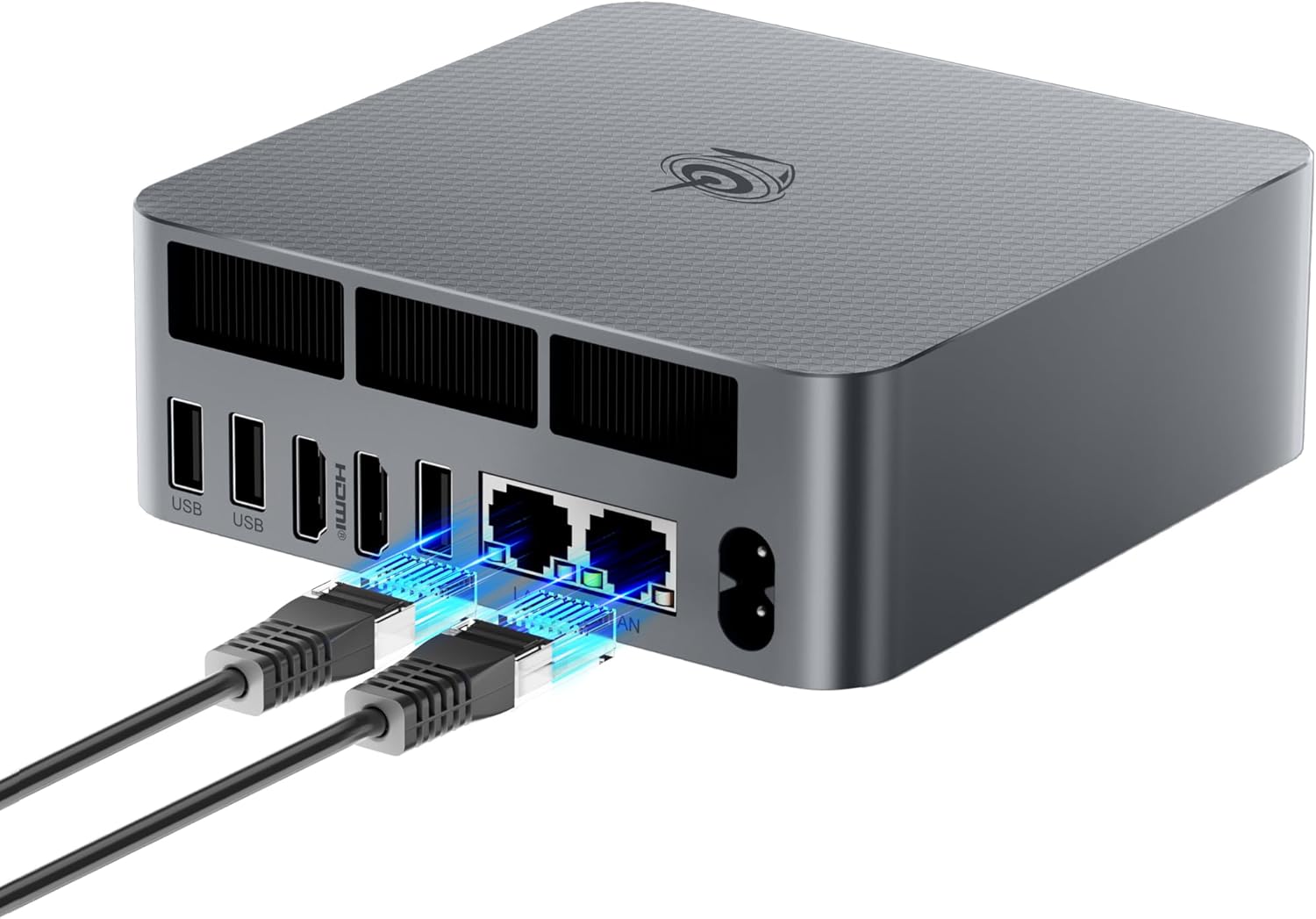
Amazon.com price at the time of writing: about $439. Prices change often.
The Beelink EQR6 with AMD Ryzen 5 6600H and 24GB LPDDR5 memory is an affordable starting point for running smaller AI models locally.
It supports tools such as Ollama and LM Studio and can act as a dedicated AI server for devices on your home network.
Its integrated Radeon graphics are suitable for lightweight inference, although performance is considerably more limited than on a desktop with a dedicated NVIDIA GPU.
What to look for at this tier:
- AMD Ryzen processors with Radeon integrated graphics outperform Intel for AI inference
- 24 GB or more of fast RAM (DDR5 or LPDDR5) is the target — 16 GB will frustrate you quickly
- Dual 2.5G LAN ports are a bonus for serving models across your network
Performance: Best suited for smaller quantized models in the 3B–8B range. Actual generation speed depends on the model, quantization, and hardware acceleration.
Best for Coding & Development: Mid-Range GPU Desktop (~$2,000)
Best for: Developers, power users, coding assistants, image generation
This is where local AI gets genuinely powerful. Adding a dedicated GPU with 12–24 GB of VRAM opens up the 7B–34B model range at speeds that feel instant.
Top Pick: Custom AMD Ryzen 7 Build with RTX 5060 Ti 16GB
Amazon.com price at the time of writing: about $2,000 for the ZOTAC MEK with a Ryzen 7 9700X and 16GB RTX 5060 Ti. Prices change often.
An AMD Ryzen 7 processor paired with an NVIDIA RTX 5060 Ti 16GB is a practical choice for developers and AI enthusiasts in 2026.
The 16GB of dedicated VRAM makes it possible to run many quantized 7B–14B models entirely on the GPU, making this setup suitable for local coding assistants, document analysis, and AI-powered development tools.
Compared to the older RTX 4070 with 12GB VRAM, the RTX 5060 Ti 16GB offers more memory for loading AI models.
Why NVIDIA still wins: NVIDIA’s CUDA ecosystem is supported by virtually every AI framework. AMD’s ROCm platform has matured significantly and is now a genuine option — especially the RX 7900 XTX with 24 GB VRAM — but for a first build, NVIDIA offers a smoother experience.
Performance: Excellent for smaller GPU-accelerated models. Larger models may require CPU offloading, which can significantly reduce generation speed.
Best Mac for Local AI: Apple Mac mini M6
Best for: Most users who want the best balance of power, simplicity, and silence
Apple Silicon has emerged as the local AI sweet spot in 2026. The reason is unified memory architecture: all of your RAM is available for model loading, unlike a PC where you’re limited by separate GPU VRAM. The machine runs nearly silent and uses around 65 watts under full AI load.
Top Pick: Mac mini M6 (16–32GB Unified Memory)
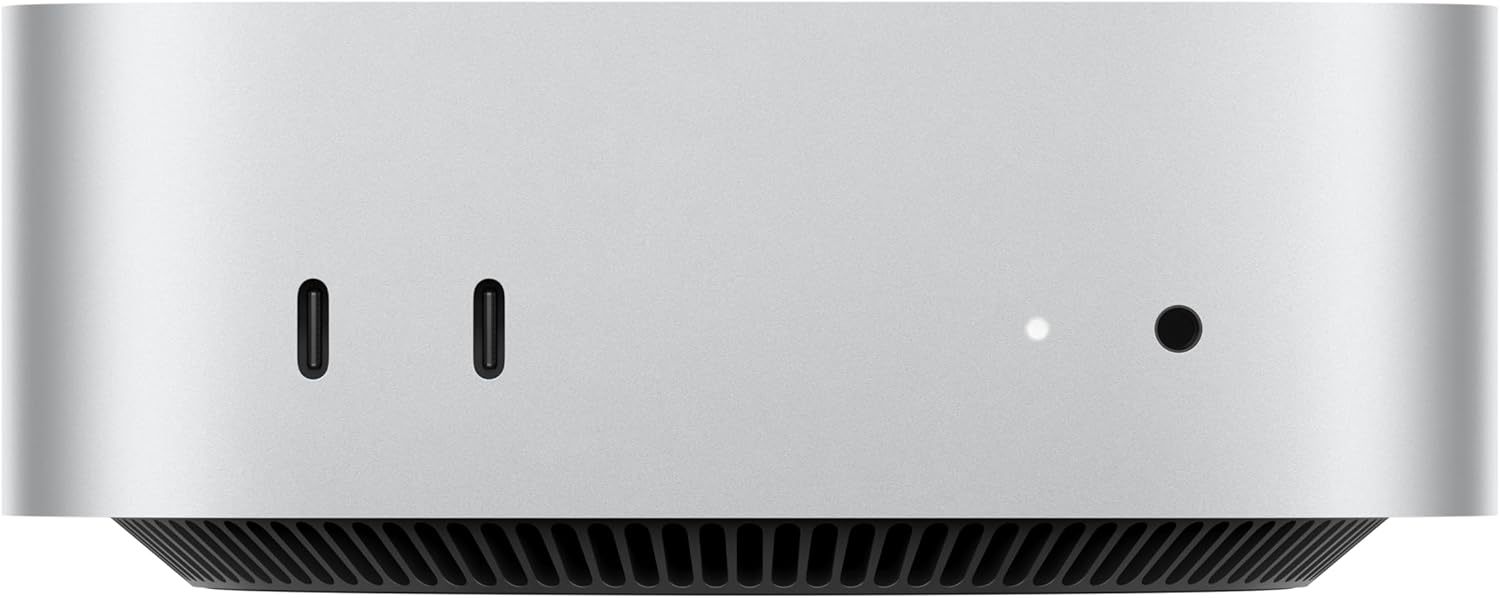
Amazon.com price at the time of writing: Mac mini M6 (16GB / 256GB) about $780. Prices change often.
Apple’s latest Mac mini, introduced in September 2026, is one of the most practical choices for local AI.
The Mac mini M6 is an affordable and compact option, starting at around $780 on Amazon.com with 16GB of unified memory and supporting configurations up to 32GB.
For everyday local AI use, the M6 with 32GB is a strong choice.
The older M4 Pro remains worth considering if you find a good deal, but the newer model should now be your primary recommendation.
Performance snapshot:
- 16 GB config: suitable for smaller 3B–8B models
- 24–32 GB config: more flexibility for quantized 7B–14B models
The tradeoff: macOS gives you fewer options for headless server deployment and Docker-based network isolation compared to Linux. If infrastructure flexibility matters, consider a high-end AMD mini PC running Ubuntu instead.
Best High-End Pick: GPU Workstation (~$3,000–$8,000)
Best for: Researchers, developers running 70B+ models, image and video generation
At this tier, the RTX 5090 with 32 GB of VRAM becomes your primary tool. It handles many quantized 30B–34B models entirely on the GPU, and can push 70B models with partial CPU offloading.
Top Pick: Custom Build with NVIDIA RTX 5090 (32GB)
The NVIDIA GeForce RTX 5090 is one of the most powerful consumer graphics cards for local AI in 2026.
It features 32GB of GDDR7 memory and up to 1,792GB/s memory bandwidth, making it especially attractive for running large quantized models, demanding coding assistants, and GPU-intensive image generation.
Its 32GB VRAM capacity can accommodate many quantized 30B–34B models entirely on the GPU.
Larger 70B models generally require additional memory through CPU offloading or multiple GPUs. Performance therefore depends heavily on the model configuration and available system resources.
For users who prioritize raw GPU performance and CUDA compatibility, the RTX 5090 is an excellent high-end option.
Alternative: Mac Studio M5 Max and M5 Ultra
Apple’s latest Mac Studio lineup offers a powerful alternative to traditional NVIDIA GPU workstations.
The Mac Studio M5 Max supports up to 128GB of unified memory, making it suitable for large quantized language models that would not fit into the VRAM of a single consumer graphics card.
For professional workloads, the M5 Ultra supports configurations with up to 512GB of unified memory and 1.2TB/s memory bandwidth.
These machines are particularly attractive for users who need substantial memory capacity, prefer macOS, and want to run large AI models without managing a multi-GPU workstation.
Best for Very Large Models: Professional Powerhouse (~$3,000+)
Best for: AI researchers, fine-tuning, multi-model workloads
At the top end, options include dual-GPU workstations (two RTX 3090s or 4090s), the NVIDIA DGX Spark, or an AMD Ryzen AI Max+ 395 mini PC with 128 GB of unified memory. The AMD Ryzen AI Max+ 395 chip has garnered significant attention in 2026 for being able to run a 120-billion-parameter model in a portable form factor — at roughly half the price of the DGX Spark.
For large local language models, the AMD Ryzen AI Max+ 395 remains an interesting option thanks to its support for up to 128GB of shared memory.
It allows users to load large quantized models without requiring a traditional multi-GPU workstation.
However, the best professional system depends on your workload. AMD Ryzen AI Max systems prioritize accessible memory capacity, while NVIDIA workstations remain attractive for GPU-intensive workloads, fine-tuning, and applications that rely heavily on CUDA.
Apple’s Mac Studio M5 Ultra is another option for professionals who need exceptionally large amounts of unified memory.
Quick Comparison
| Category | Best Pick | Memory | Recommended Models |
|---|---|---|---|
| Budget | Beelink EQR6 | 24GB RAM | 3B–8B |
| Mid-Range | RTX 5060 Ti | 16GB VRAM | 7B–14B |
| Apple Compact | Mac mini M6 | 32GB unified | Small to medium |
| High-End | RTX 5090 | 32GB VRAM | 30B–34B |
| Workstation | AMD AI Max+ 395 | Up to 128GB | 70B and larger |
| Professional | Mac Studio M5 Ultra | Up to 512GB | Very large models |
Model sizes are general recommendations for quantized models, not strict limits.
Key Tips Before You Buy
Don’t focus only on NPU performance. Modern processors advertise impressive AI performance through their Neural Processing Units, often measured in TOPS.
However, NPU specifications do not directly indicate how quickly a language model will run in Ollama, LM Studio, or llama.cpp.
Software compatibility, GPU acceleration, memory capacity, and memory bandwidth are usually more useful factors when choosing a machine for local LLM inference.
Always use quantized models. Q4_K_M and Q5_K_M quantization formats are nearly indistinguishable in quality from full-precision models for chat, coding, and summarization tasks. A 30B model at Q4_K_M needs ~18 GB of RAM instead of ~60 GB. Always start quantized.
Consider Linux for desktops. Ubuntu gives you the best flexibility: full CUDA and ROCm support, easy Docker deployments, and the widest framework compatibility. macOS is excellent on Apple Silicon. Windows works fine but adds friction for some tools.
One machine can serve your whole home. Tools like Ollama expose a local API that any device on your network can access. Run the model on one dedicated machine and query it from your laptop, phone, or tablet.
The Bottom Line
For most people looking to run AI locally in 2026, the Mac mini M6 with 32GB of memory is an excellent starting point. It offers a compact design, low power consumption, and enough memory for many practical local AI workloads.
Windows and Linux users should consider an NVIDIA RTX 5060 Ti 16GB desktop for fast local inference, while the RTX 5090 is better suited to demanding GPU workloads.
For very large language models, systems with 128GB or more of shared or unified memory are worth considering.
Ultimately, the best local AI PC is not necessarily the one with the fastest processor. Choose a machine with enough memory for the models you want to run and sufficient GPU performance to deliver a responsive experience.
Local AI is no longer a compromise. For many workflows, it’s now the better default.